
How to Change your Server Name on your Palworld server
Updated September 24, 2026
You can easily change the name of your Palworld server through the server configuration settings in your control panel. The updated name will be visible to players in the server browser once the server is restarted or refreshed.
Changing Your Palworld Server Name
- Access your server control panel.
- Click the Server Config tab.
- Locate the
Server Namesetting and enter your preferred server name.
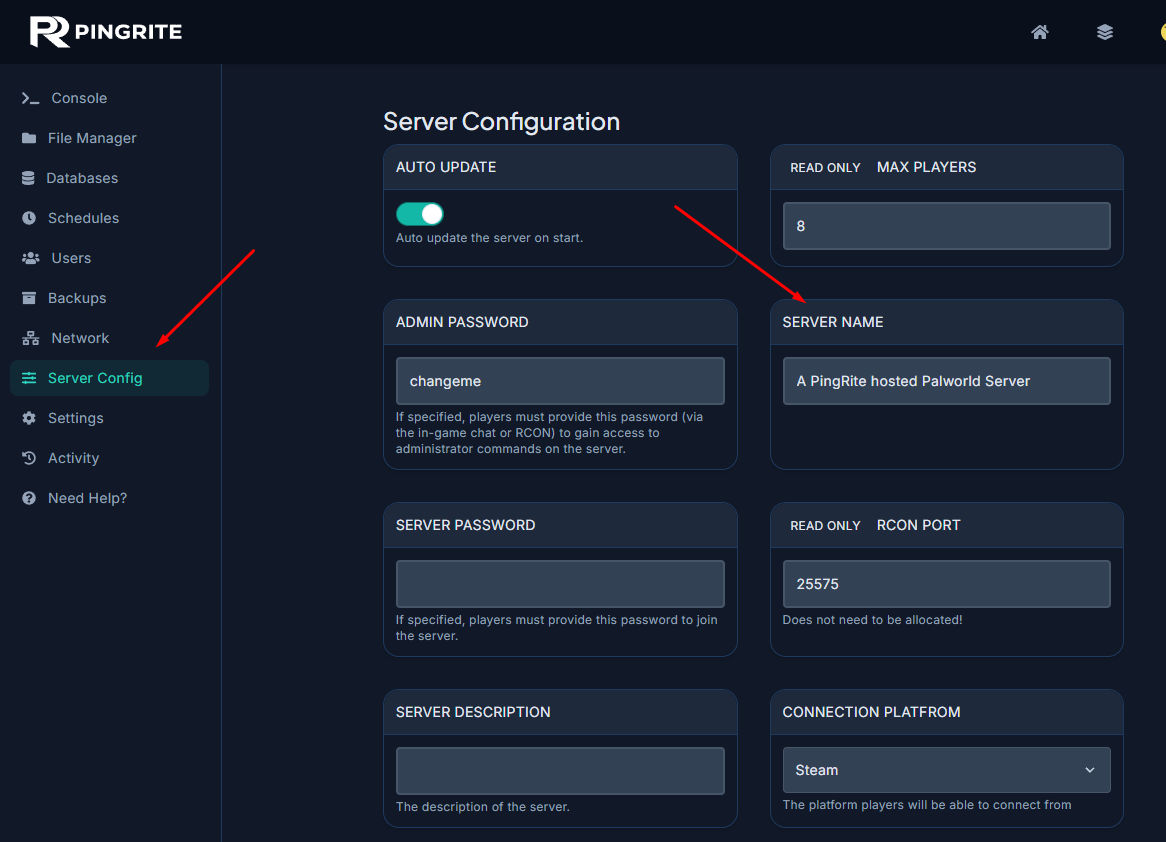
After saving the changes, restart your server to ensure the new name appears correctly in the server list.
Tip: Choose a clear and recognizable server name so players can easily find your server in the multiplayer browser ????