
How to Install Oxide Plugins on Your Rust Server
Updated September 24, 2026
Oxide must be installed on your Rust server before you can add any plugins. If you haven't set it up yet, follow our Oxide installation guide first. This walkthrough uses the Gather Manager plugin as an example, but the same process applies to any Oxide plugin.
Installing Oxide Plugins
To install any Oxide plugin, you simply need to upload its .cs file into your server's /plugins folder.
- Download the plugin you want from uMod.

- Open your server control panel and Stop the server.
- Go to the File Manager tab and navigate to the
/oxide/plugins/directory.
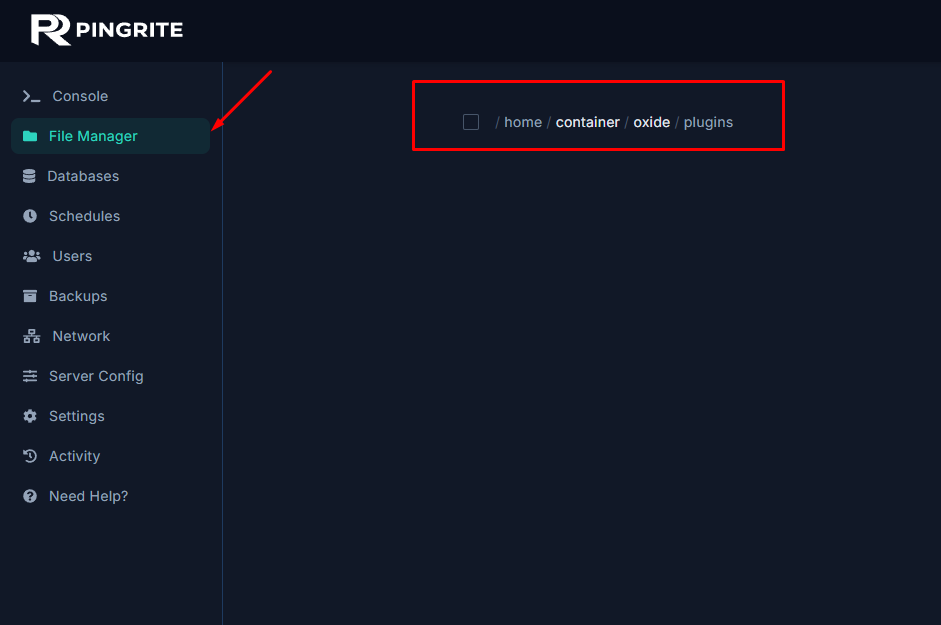
- Upload the .cs file you downloaded and restart your server.