
How to Add Admins to your 7 Days to Die server
Updated September 24, 2026
You can add an admin to your server using their username, entity ID, or SteamID64. If you don't know how to find a player's SteamID, check out our guide here.
Once you've retrieved their ID, they can be added as an admin by editing the serveradmin.xml file.
Adding an Admin by Editing the serveradmin.xml File
-
Open your Server Control Panel.
-
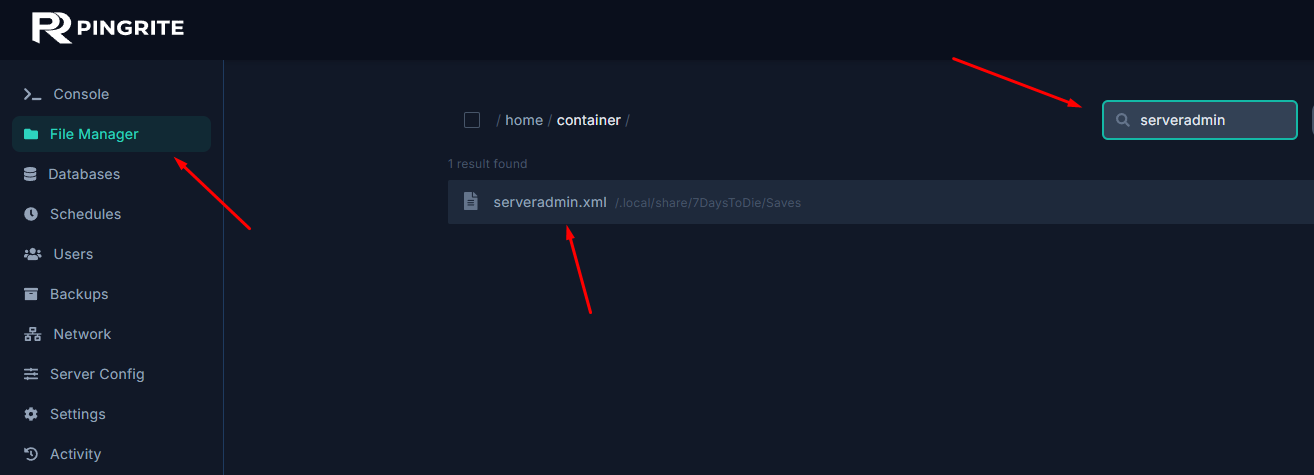
Shut down the server and then navigate to the File Manager tab in the control panel.
-
Enter
serveradmin.xmlin the search bar and open the file.
-
Locate the
<users></users>section, which is where admins can be added. -
Add the following line inside the section you located.
<user platform="Steam" userid="STEAMID" name="Admin's Name" permission_level="0" />
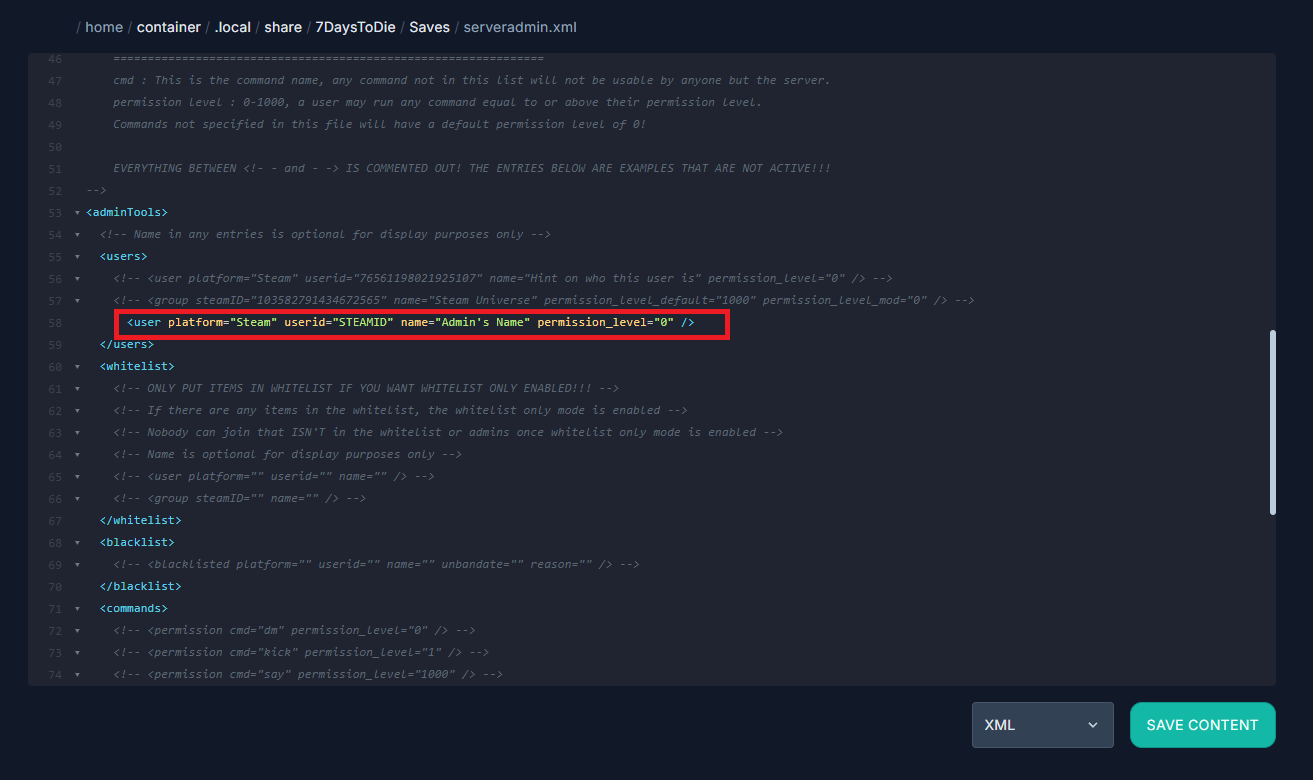
- Replace the values inside the line to assign a new admin.
userID="STEAMID"- ReplaceSTEAMIDwith the admin's Steam ID.name="Admin's Name"- ReplaceAdmin's Namewith the admin's name.permission_level="0"- Set the number between0-1000(0 grants the highest authority)
- Save the file and Start the server.